Orate App Icon

Orate

Listen to your docs.

Listen to long text documents on the go

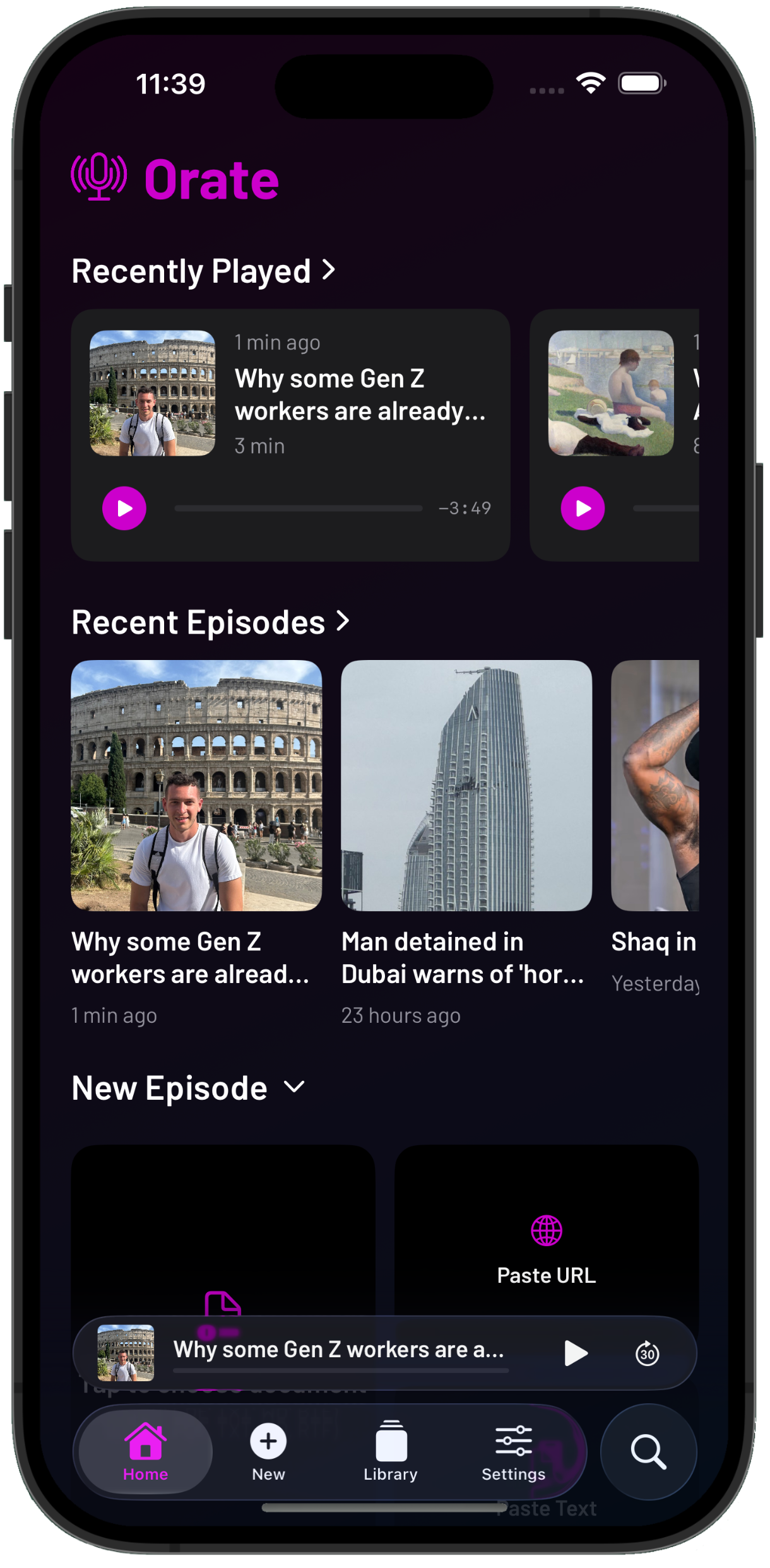
Orate home screen showing document library

Select a document, grab an article from a URL, or just paste some text. Orate turns it into podcast-quality audio with chapters, a live transcript, and playback controls you'd expect from your favorite podcast app.

Completely private - 100% on-device processing.

Your content never leaves your phone.

Download on the App Store

The Problem

Reading backlogs don't shrink

You've got articles saved in read-it-later apps, PDFs downloaded to your phone, documents bookmarked across three browsers. You genuinely want to engage with all of it.

But your screen time is already maxed out. Your eyes are tired. There's never a quiet moment to sit down and read. And ChatGPT just blurted out 2,000 words that you have to read and you need to pick up the kids or walk the dog.

Orate is built for how you actually have time to consume content — while commuting, walking, cooking, or exercising.

How It Works

Import. Generate. Listen. Organize.

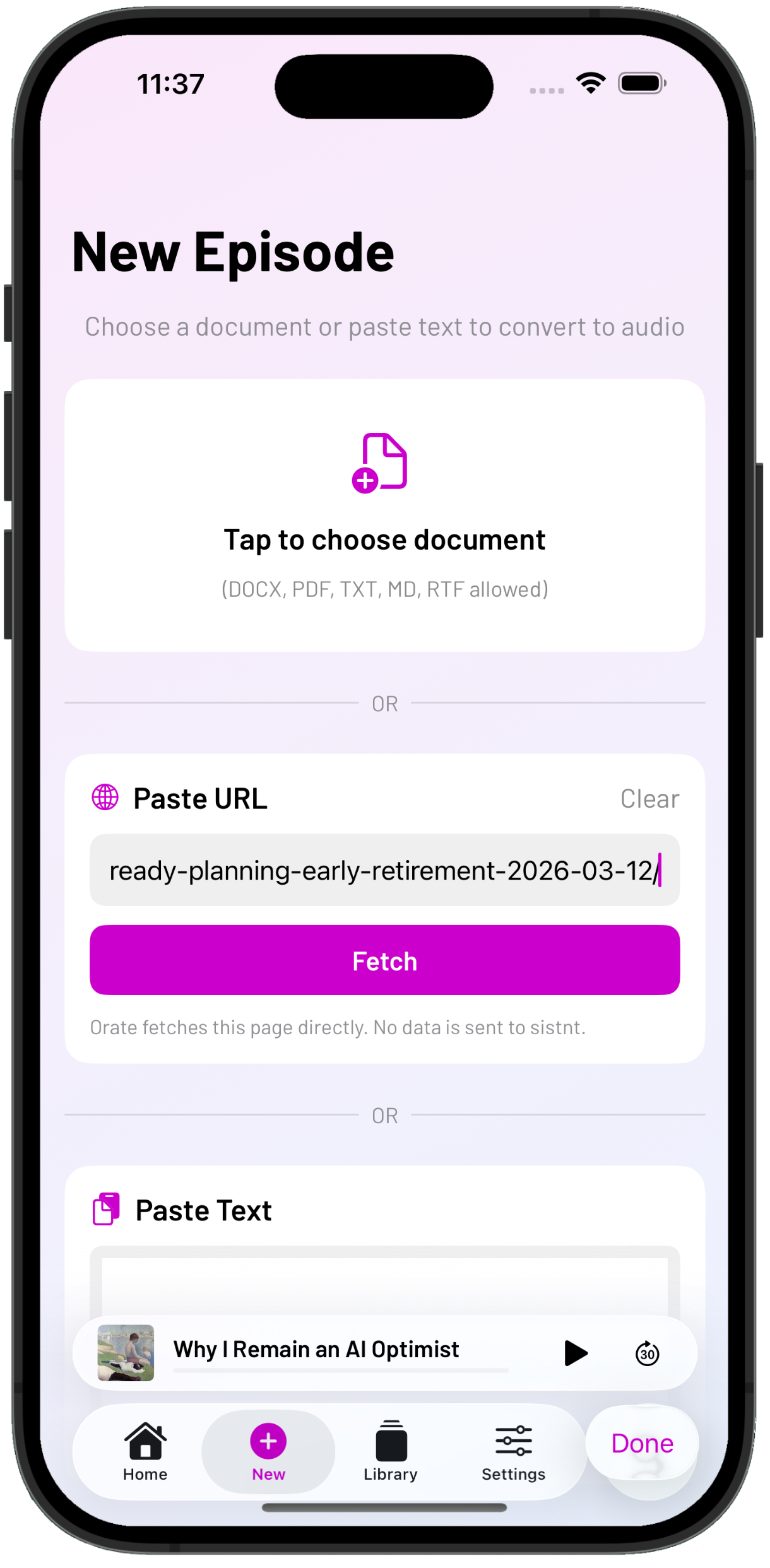
Orate import view

Import

Paste, import, or grab from a URL

Bring in text, markdown, PDF, or DOCX files. Paste from clipboard. Or point Orate at a web article—it extracts the content automatically via Readability.

Orate audio generation view

Generate

On-device text-to-speech creates podcast-quality audio

Apple's Speech Analyzer converts your document into natural-sounding audio right on your device. No cloud services or internet connection required.

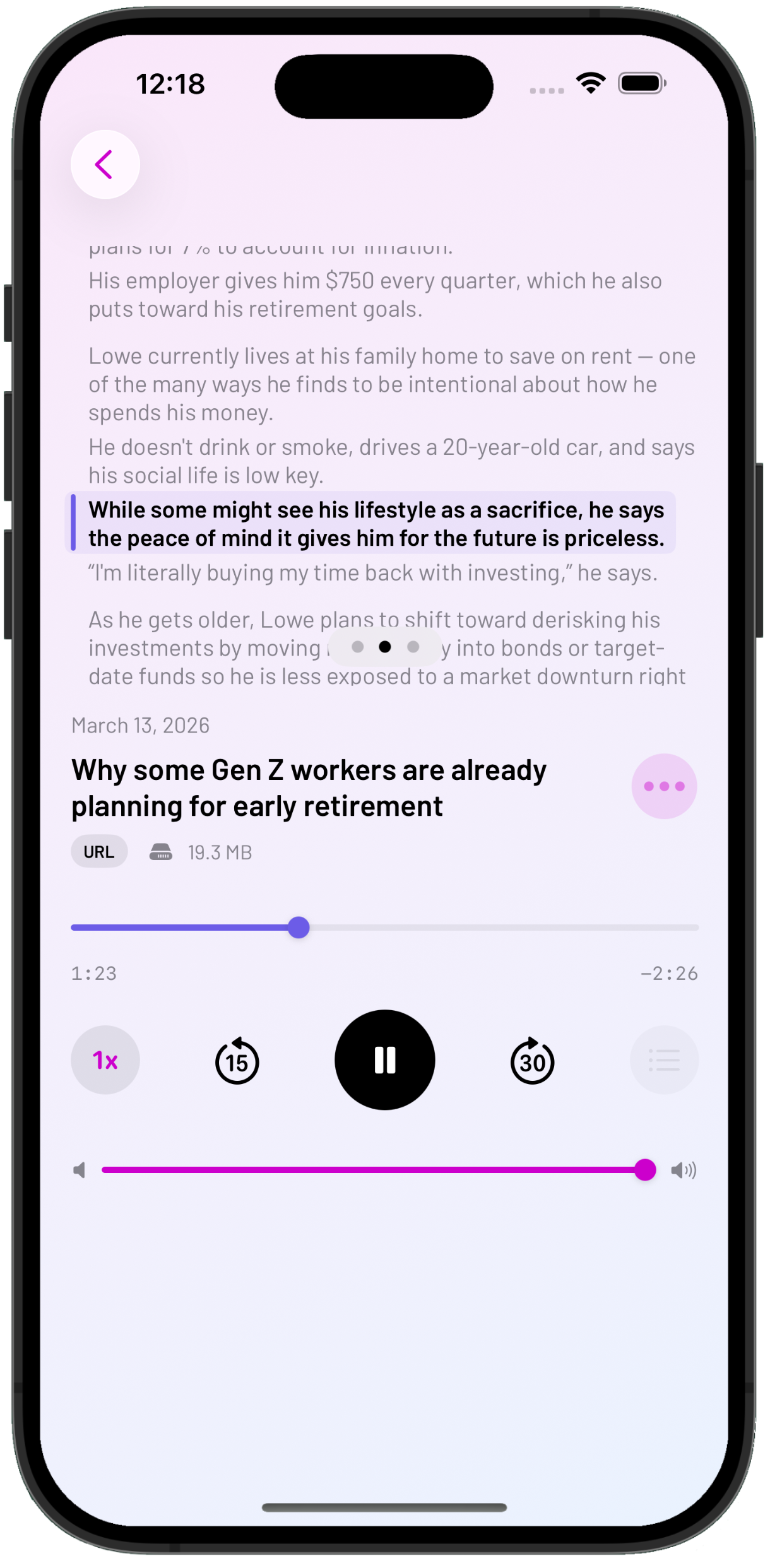
Orate playback view

Listen

Podcast-style controls, chapters, transcript

Skip forward and back, adjust speed, use lock screen controls. Navigate by chapter. Follow along with a sentence-level transcript that highlights in real time.

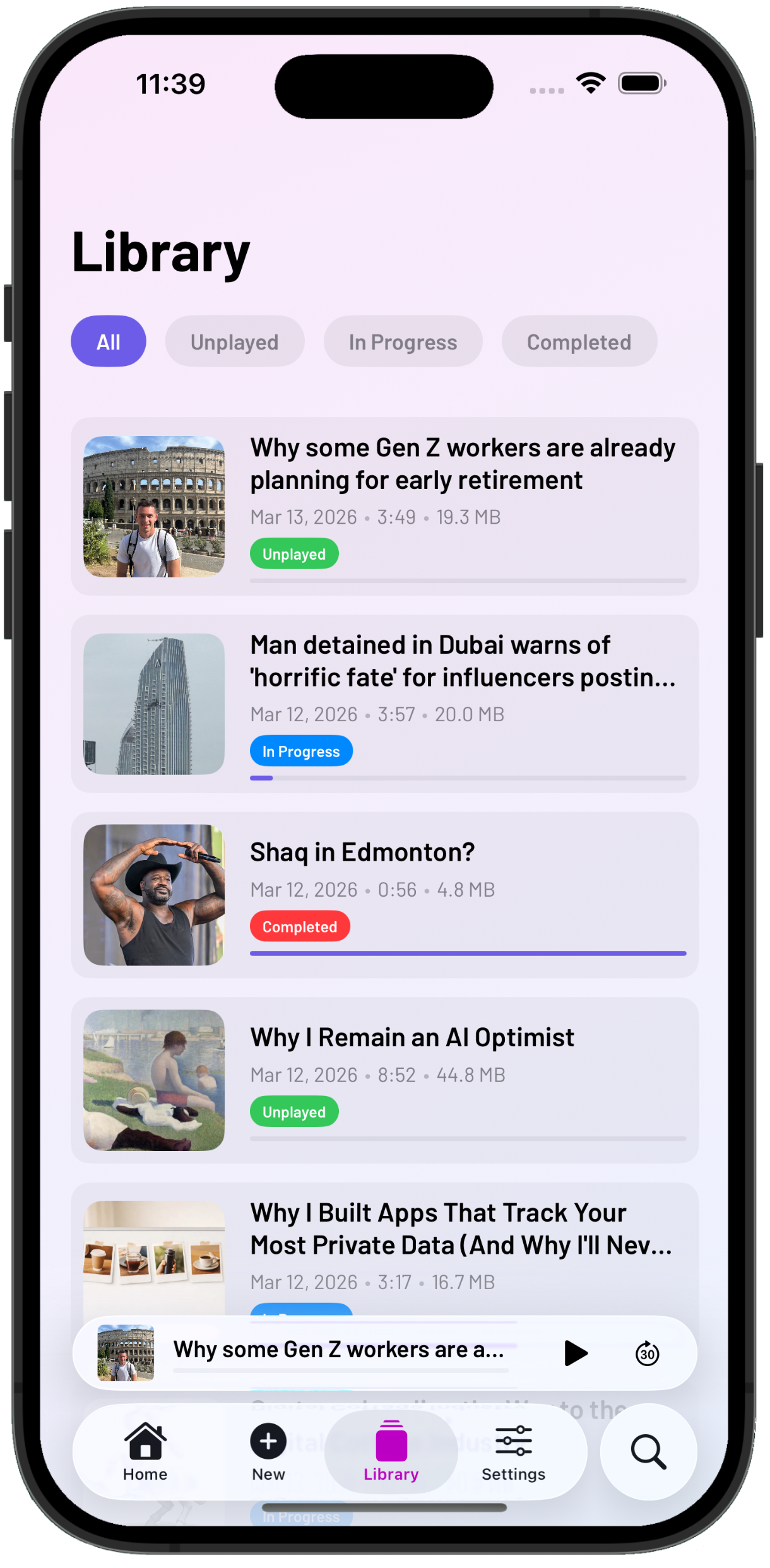
Orate library view

Organize

Episode library, search, recently played

Your episodes live in a searchable library with recently played, now playing bar, and full episode management. Export and import episode packages.

Why It's Different

Everything happens on your phone

Most text-to-speech services send your content to the cloud for processing where you have no idea what happens to it. We took a different approach.

Orate uses Apple's built-in AVSpeechSynthesizer for text-to-speech and Apple Intelligence for smart chapter detection and organization —
all running locally on your device.

No servers. No uploads. No account required.

Not because we're paranoid. Because it's faster, works offline, and means your documents are nobody's business but yours.

  • On-device text-to-speech — Audio generation happens locally
  • On-device chapter detection — Your content never leaves your phone
  • On-device AI organization — Apple Intelligence powers smart features
Who uses Orate

Built for people who'd rather listen

calendar icon

Commuters, gym-goers & walkers

Turn saved articles into a personal podcast for your commute. Listen to that long-form piece while you walk the dog.

"I load up all the long documents I haven't got to at work and the listen to them while I'm on the treadmill."

graduation cap icon

Researchers & students

Listen to papers and study materials hands-free. Review with the transcript, jump to specific chapters, search for key passages.

"It takes me 20 minutes to ride to school, I can get through a couple short papers using Orate during my commute."

head and brain icon

People with reading fatigue

Give your eyes a break, let your ears do the work. After a long day of screens, listening is a different kind of engagement entirely.

"By 6pm my eyes are done. Orate lets me keep learning without another screen."

sparkle icon

Accessibility-minded users

Full VoiceOver support, Dynamic Type, Full Keyboard Access, and Switch Control. An alternative way to consume text that works for everyone.

"Finally, an app that treats accessibility as a first-class feature, not an afterthought."

Comparison

One app instead of a workaround

Right now you're cobbling together text-to-speech shortcuts, podcast apps, and read-it-later services to do what Orate does in one place.

Orate combines them—with local processing throughout.

Orate Workarounds
On-Device TTS rarely
Chapter navigation No
Real-time transcript No
Works offline No
No account required No
Cost One-time unlock $5-15/month
Pricing

Fair pricing. No subscriptions.

sistnt believes in building useful tools for a fair price. You shouldn't pay subscription rates for a pencil or a hammer.

USD$4.99

  • • Unlimited document imports
  • • On-device TTS with multiple voices
  • • Chapter navigation & AI organization
  • • Sentence-level transcript with search
  • • Export/import episode packages
  • • All future updates included

One purchase. Yours forever.

FAQ

Frequently Asked Questions

Privacy

Is my data really private?

Yes. Text-to-speech runs entirely on your device using Apple's built-in AVSpeechSynthesizer. We don't have servers to store your documents, even if we wanted to.

Do you use cloud AI?

No. AI features use Apple's on-device models for chapter suggestions and organization. Nothing is sent to OpenAI, Google, or any external service.

Features

What file formats are supported?

Plain text, markdown, PDF, and DOCX files. You can also paste text from the clipboard or provide a URL to extract article content.

Does it work offline?

Completely. All text-to-speech generation, playback, and organization works without an internet connection. URL import requires connectivity to fetch the article, but everything after that is offline.

Can I control playback speed?

Yes. Multiple speed options are available, along with skip forward/back controls and lock screen playback controls.

What languages does Orate support?

While Orate's user interface is English, it uses your device's text-to-speech and voice synthesis. So if your device is configured for French with French voices, it can read and convert French documents. So basically, whatever language you configure your device to use, Orate can read and speak.

Business

What if Orate shuts down?

Your episodes are stored locally on your device. Even if we disappeared tomorrow, the app and your content stays with you.

Get your eyes off the screen. Start listening.

Your reading list keeps growing.

Orate gives you a way to actually get through it.

Documents to audio. All on your device.

✓ 100% on-device processing
✓ No account required
✓ Works fully offline