Capture App Icon

Capture

Your thoughts deserve privacy.

Capture at the speed of thought

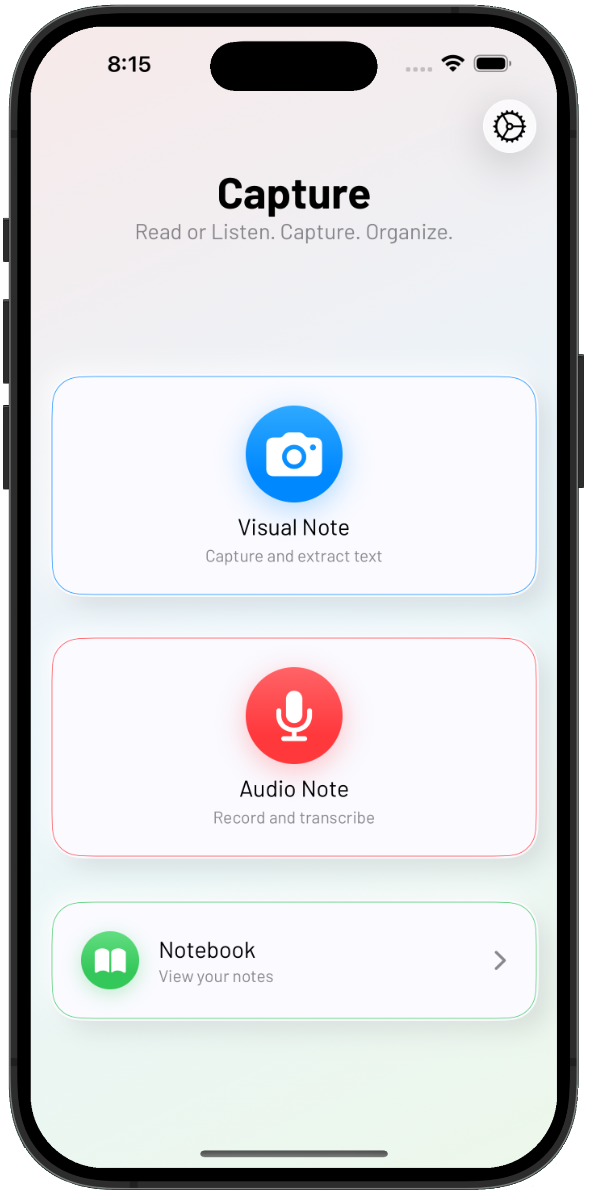
See something worth remembering? Snap it. Have an idea mid-conversation? Record it. Capture turns photos and voice memos into shareable, searchable text—instantly.

Capture main view

100% on-device processing. Your notes never leave your phone.

Download on the App Store

The Problem

Ideas don't wait for you to find a keyboard

You're walking to a meeting and suddenly think of the solution to yesterday's problem. You're reading an magazine and hit a passage worth keeping. You';'ve got that nagging thought that you want to get off your chest.

By the time you open a notes app and start typing, the moment is gone.

Capture is built for how ideas actually arrive—fast, visual, verbal, and inevitably inconveniently timed.

How It Works

Fast capture. Complete privacy. Seamless export.

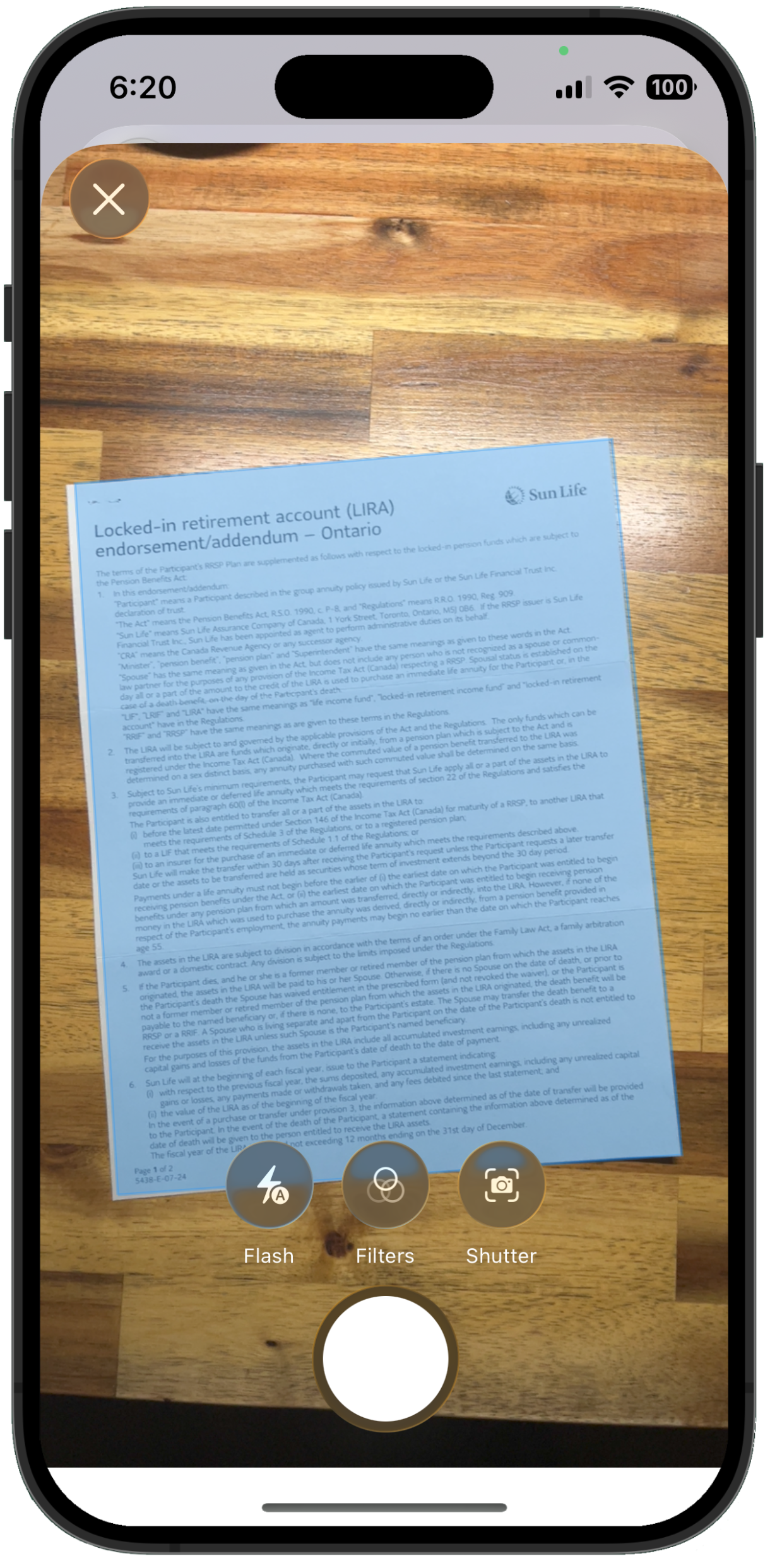
Capture with document scan

Visual Notes

Snap it

Point your camera at a book page, whiteboard, sign, or document. Capture extracts the text automatically—no typing required. Works with handwriting, printed text, even tricky fonts.

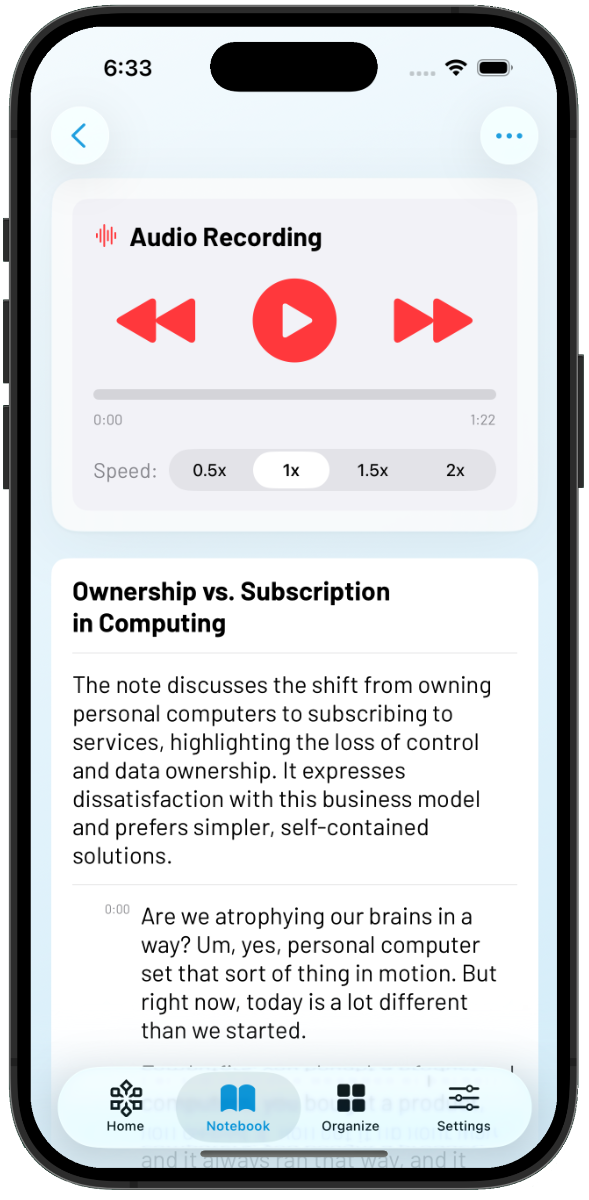
Capture audio note view

Audio Notes

Say it

Record a voice memo, meeting snippet, or stream-of-consciousness idea. Capture transcribes it with full punctuation and context. Pause and resume. Review with timecodes. Edit the transcript.

Capture main view

On-device AI

Organize it

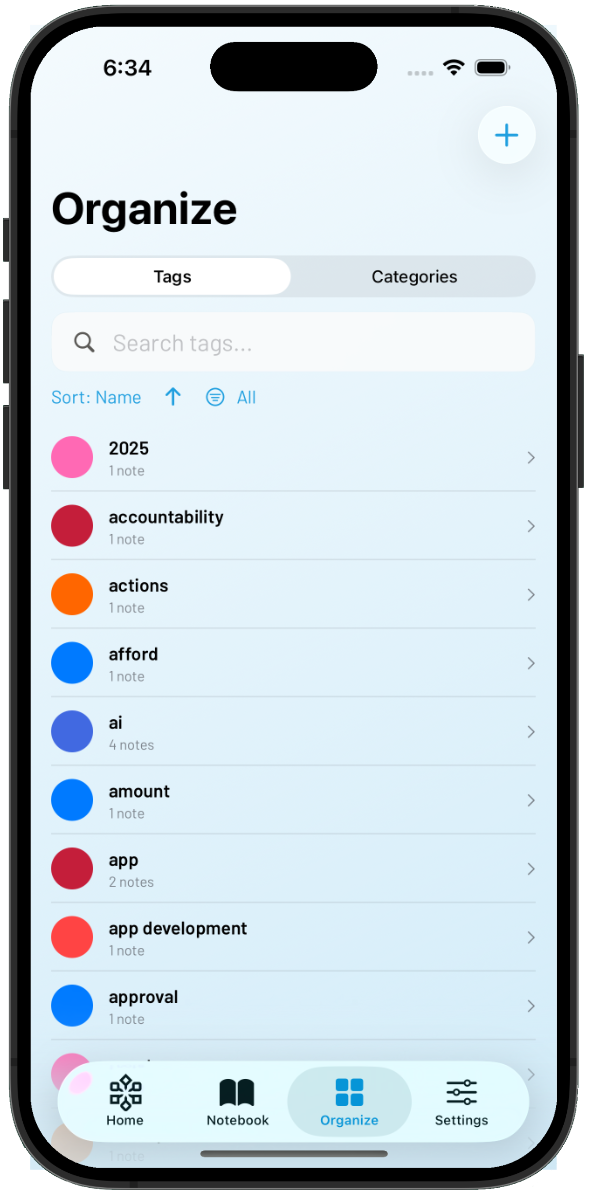
Capture doesn't just extract text—it understands it. On-device AI suggests tags, generates summaries, and categorizes your notes automatically.

Powered by Apple Intelligence.™ Even works offline.

Capture main view

Export

Send it anywhere

Share to any app on your phone—Notes, Obsidian, Notion, email, whatever you use. Native iOS share sheet, no proprietary lock-in. Your capture workflow, your destination.

Why Its Different

Everything happens on your phone

Most note apps send your content to the cloud for processing. We took a different approach.

Capture uses Apple's built-in frameworks—Vision for OCR, Speech Analyzer for transcription, and Apple Intelligence for smart organization—all running locally on your device.

No servers. No uploads. No account required.

Not because we're paranoid. Because it's faster, works offline, and means your notes are nobody's business but yours.

  • On-device OCR — Text extraction happens locally
  • On-device transcription — Your voice never leaves your phone
  • On-device AI — Apple Intelligence powers tags, titles, and summaries
Who uses Capture

Built for curious minds

newspaper icon

Collectors of quotes and ideas

Capture that perfect paragraph without transcribing it by hand. Build a library of passages that actually means something to you.

"I used to take photos of book pages and never look at them again. Now I have searchable text I can actually find."

medicine icon

People who think out loud

Some ideas only come when you're talking through them. Record your thinking, get it back as text, refine it later.

"I do my best thinking walking the dog. Now those thoughts don't disappear when I get home."

books icon

Anyone in too many meetings

Capture the key moment without transcribing the whole hour. Quick voice note, instant text, move on with your day.

"I record a 30-second summary after every call. Game changer."

academics icon

People who need extra discretion

Therapists, journalists, lawyers, researchers—anyone whose work requires genuine confidentiality, not just "encrypted in transit."

"On-device processing isn't a feature for me. It's a requirement."

Features

Simple on the surface. Capable underneath.

camera icon

Document Scanning

Multi-page scanning with auto-crop and edge detection. Captures up to 5 pages per note. Tables, lists, and data detection built in.

tag icon

Live Transcription

See your words appear as you speak. Volatile text shows what's being processed; finalized text is locked in. Pause and resume without losing context.

Unlimited duration, no word-boundary errors from chunked processing.

link icon

Timecoded Playback

Tap any timecode to jump to that moment in the audio. Review exactly what was said, not just what was transcribed. Variable speed playback (0.5x - 2x).

mail icon

Intelligent Organization

Apple Intelligence analyzes your notes on-device to suggest relevant tags, generate concise summaries, and auto-categorize content. You're always in control—accept suggestions or ignore them.

18 accessible colors. Smart categories. Instant search.

mail icon

Works Offline

No internet required. Capture, process, and review entirely on-device. In the field or on a plane. Export when you're ready.

mail icon

Smart Summaries

Long transcription? Capture generates a 2-3 sentence summary so you can quickly recall what matters. Powered by Apple's on-device Foundation Models—no cloud required.

Comparison

One app instead of three

Privacy-conscious users currently juggle multiple apps: one for OCR, one for transcription, one for export.

Capture combines them—with local processing throughout.

Capture Cloud Alternatives
On-Device OCR rarely
On-Device transcription rarely
On-Device AI No
Works offline No
No account required No
Cost One-time unlock $10-17/month
Pricing

Fair pricing. No subscriptions.

sisnt believes in building useful tools for a fair price. You shouldn't pay subscription rates for a pencil or a hammer.

USD$4.99

  • • Unlimited visual and audio notes
  • • On-device OCR and transcription
  • • Apple Intelligence-powered organization
  • • Export to any app you want
  • • Optional iCloud sync
  • • All future updates included

One purchase. Yours forever.

FAQ

Frequently Asked Questions

Privacy

Is my data really private?

Yes. OCR, transcription, and AI all run on your device using Apple's built-in frameworks. We don't have servers to store your notes, even if we wanted to.

Do you use ChatGPT or external AI?

No. AI features use Apple's on-device Foundation Models. Nothing is sent to OpenAI, Google, or any external service.

What AI features does Capture include?

Capture uses Apple Intelligence to automatically generate note titles, suggest relevant tags, detect categories, and create brief summaries. You can trigger analysis manually or enable it automatically in settings. All processing happens on your device—nothing is sent to the cloud.

Features

Does it work offline?

Completely. No internet required for any core functionality.

How accurate is the transcription?

iOS 26 Speech Analyzer achieves 95%+ accuracy on clear speech, with proper punctuation and context awareness.

Can I export to Obsidian/Notion/Apple Notes?

Yes. Capture uses the native iOS share sheet, so you can send notes to any app that accepts text—no special integrations required.

Business

What if Capture shuts down?

Your notes are stored as local files on your device. Even if we disappeared tomorrow, the app and your content stays with you.

Capture it before you forget it

Ideas arrive faster than you can type.

Capture gives you a faster way to hold onto them.

Photos to text. Voice to text. All on your device.

✓ 100% on-device processing
✓ No account required
✓ Works fully offline